
Relative Strength Scanner on Candlesticks Chart
-
I would like to scan Candle Sticks Chart for stocks that have a Supertrend bullish crossover on the RS chart (Stock/Nifty). However, I could not find any option available to apply this filter.
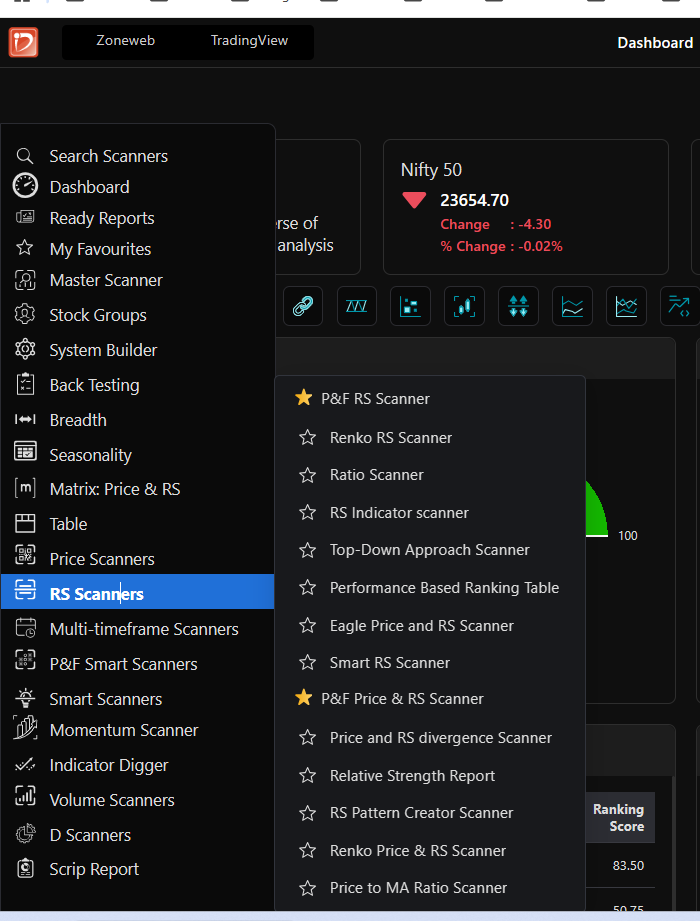
-
@Anuj Mehta
Hi Sir,
You can create this condition using the System Builder and RS Scanner feature.
Go to System Builder → from the dropdown select Ratio → click on Create System Builder → then click Add → Indicator → select Supertrend → set Expression = 1 and save it.
After that, go to RS Scanner → Ratio Scanner. In the Conditions dropdown, select MY, and then apply the Supertrend condition you created.
You can then run the scan, and it will filter stocks based on your required RS Supertrend bullish crossover condition.
Hope this helps.