D Market Report (Snapshot of all the action)
-
You just opened your trading terminal and lost about market health and where to look for trade?
Too many scanners and scrips flickering red and green got you confused?
We have got you covered, introducing D Market Report a quick snapshot of all the action and market health.
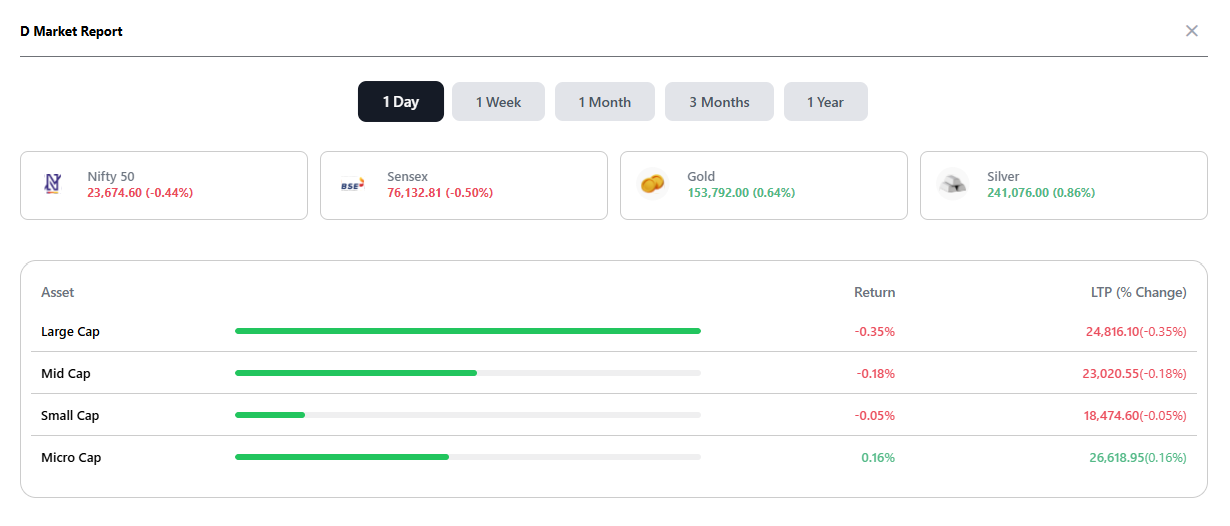
Zone Web > Analytics > Dashboard > D Market ReportYou can immediately see how different assets are performing and within Equities how each segment like Large cap, Mid cap, Small cap and Micro cap are performing, top stocks and breadth of each segment.
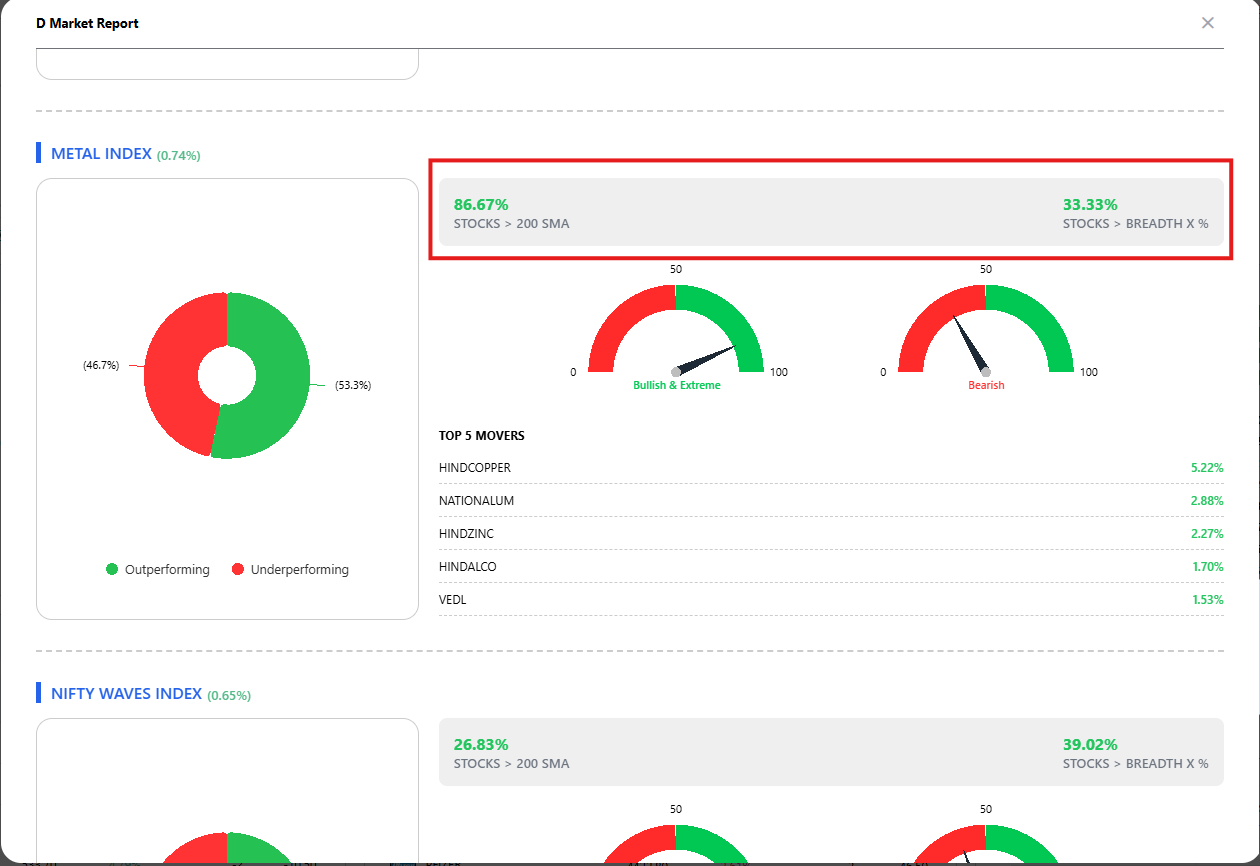
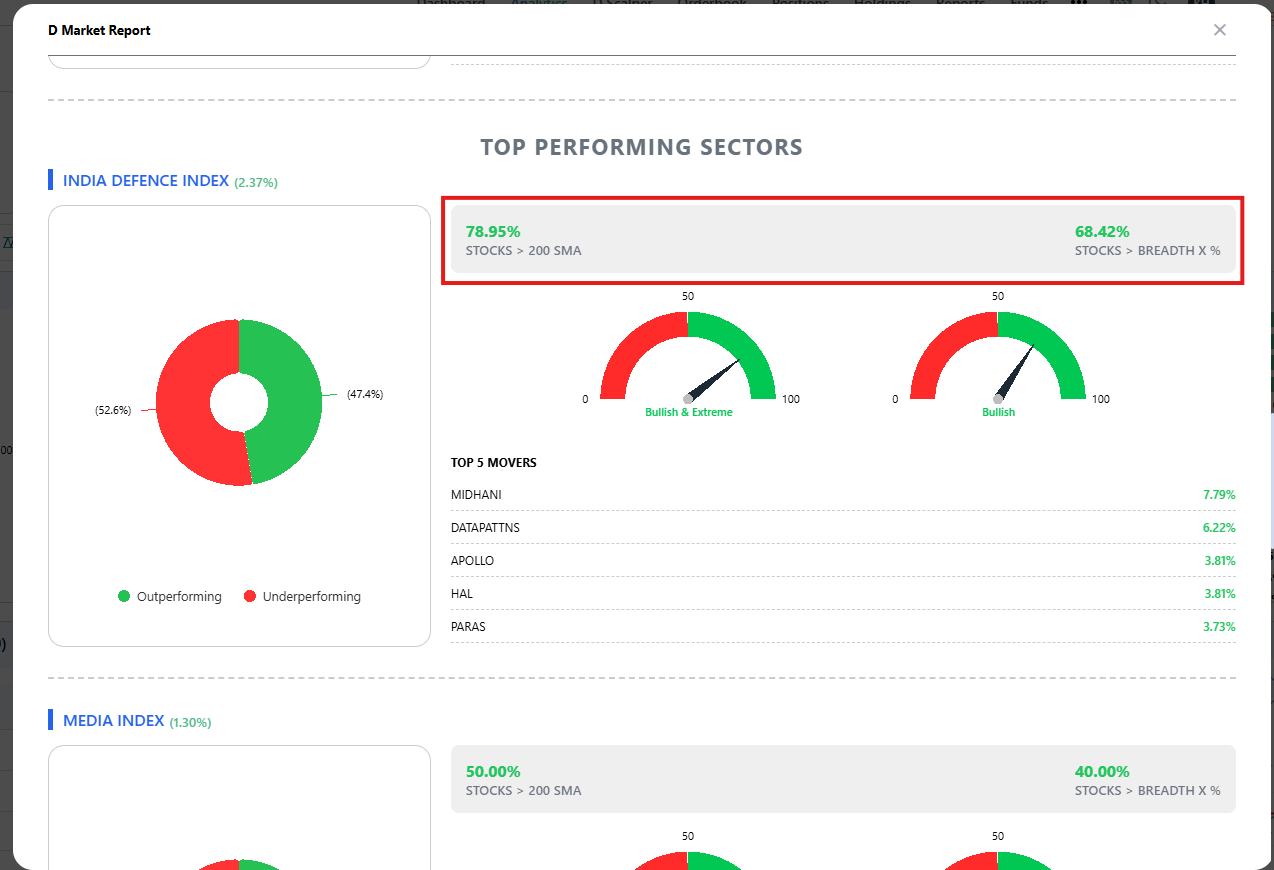
When you scroll down a little you can see Top Performing Sectors. Sector's performance of the day is visible at the top and users can check 2 breadth parameters: No of stocks > 200 MA and No of stocks in column of X. Treat this as long term and short term breadth. For example, today we can see India Defence Index in Outperforming Sector with LT Breadth > 75% and ST breadth > 68% this shows that Defence is a buzzing section good for breakout opportunities. Another Example is Metal Index having LT Breadth > 85% and ST Breadth near 33% this is good example of spotting a Pullback opportunity using D Market Report.